Zelty Integration
Zelty is a POS (point-of-sale) system used by some restaurants. The integration does two things:
- Catalog sync — Zelty pushes its product catalog to CoopCycle so the ordering UI always reflects what’s available in the POS.
- Order push — When a customer places an order on CoopCycle, it is forwarded to Zelty so kitchen staff see it on the POS.
Connecting CoopCycle to Zelty
To connect CoopCycle to Zelty, you first need to enable CoopCycle on Zelty Marketplace.
Once enabled, Zelty will generate an API Key.
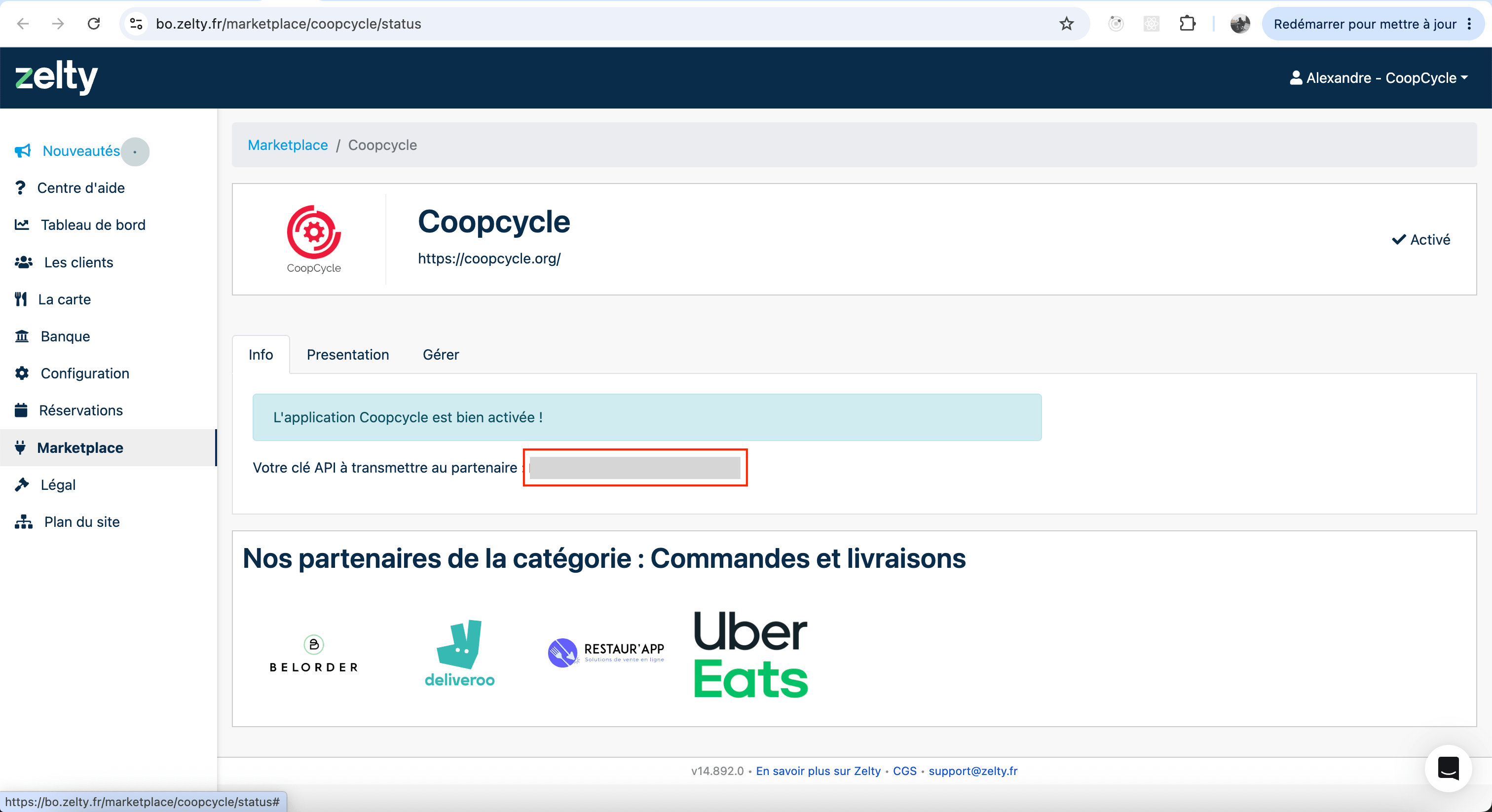
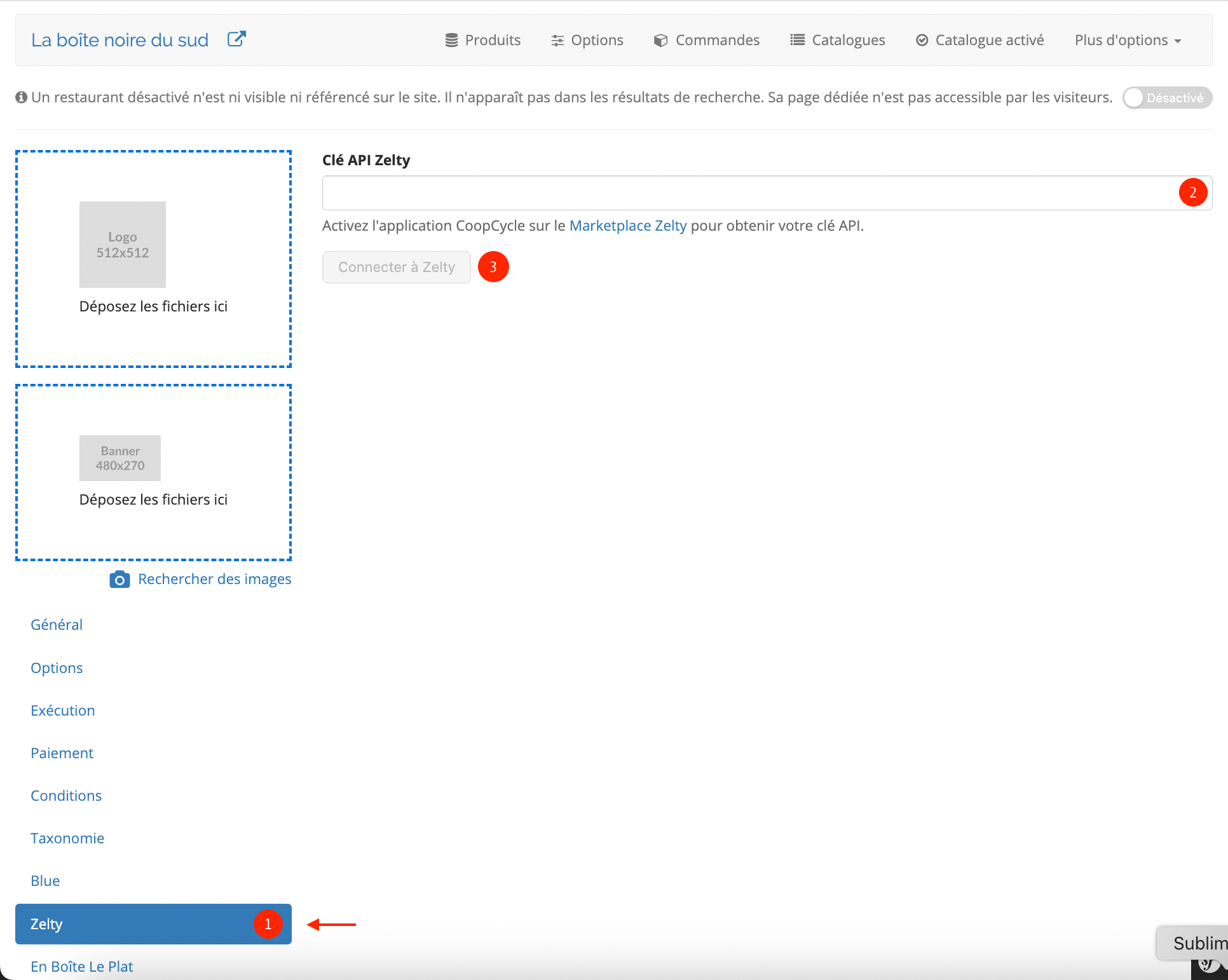
Copy the Zelty API Key from the Marketplace, paste it in the Zelty tab of your restaurant in CoopCycle, and click on « Connect to Zelty »
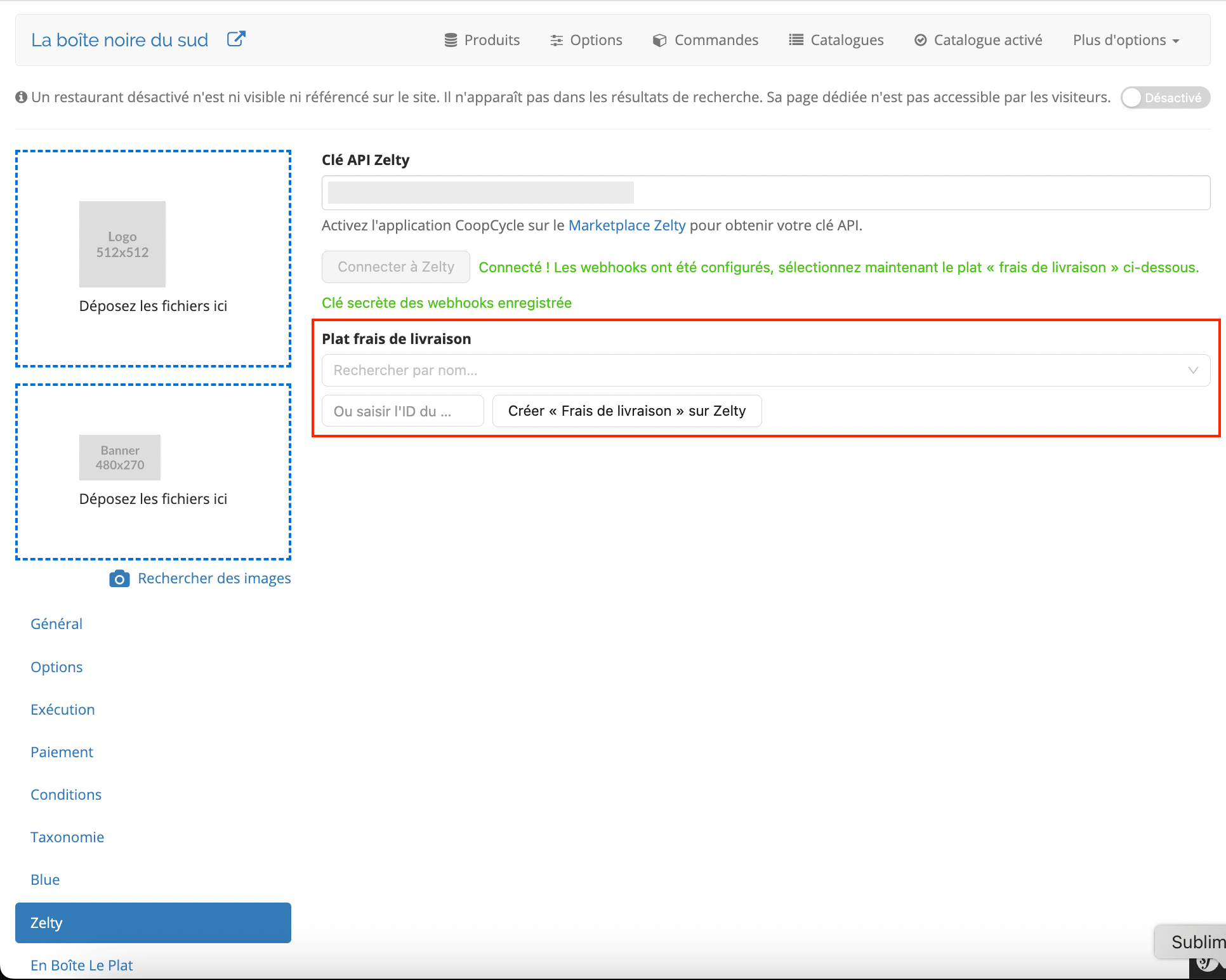
If the API Key is valid, you will be asked to configure the dish that will be used to hold the delivery fee. You may also let us create it for you, by clicking on the « Create “Delivery fee” on Zelty » button.
Sending your catalog to CoopCycle
It’s now time to send us your catalog so that we can display the same menus & dishes on the platform.
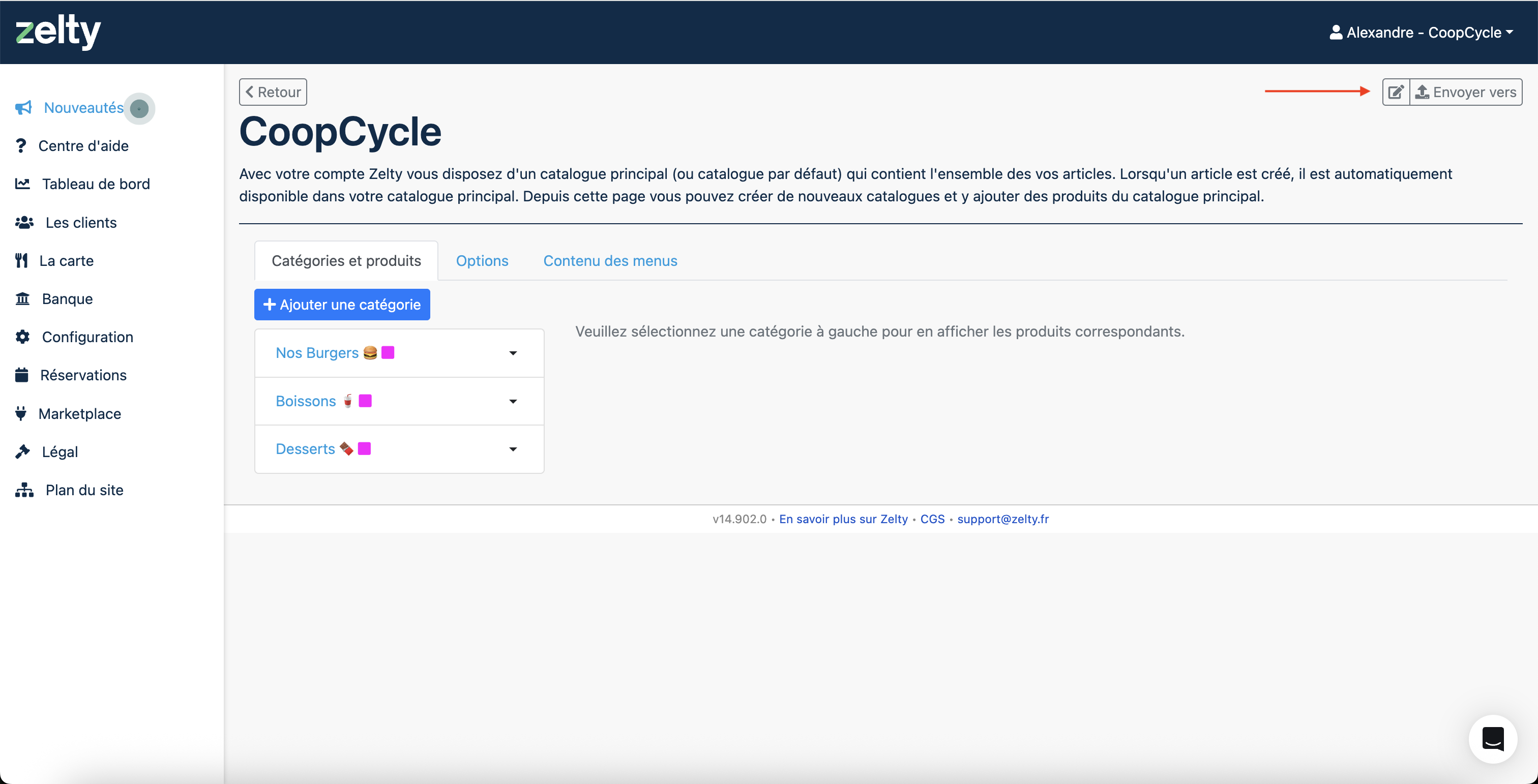
In Zelty, go to the catalog you want use on CoopCycle (this may be a different catalog than the one you are using on site), and click on « Envoyer vers ».
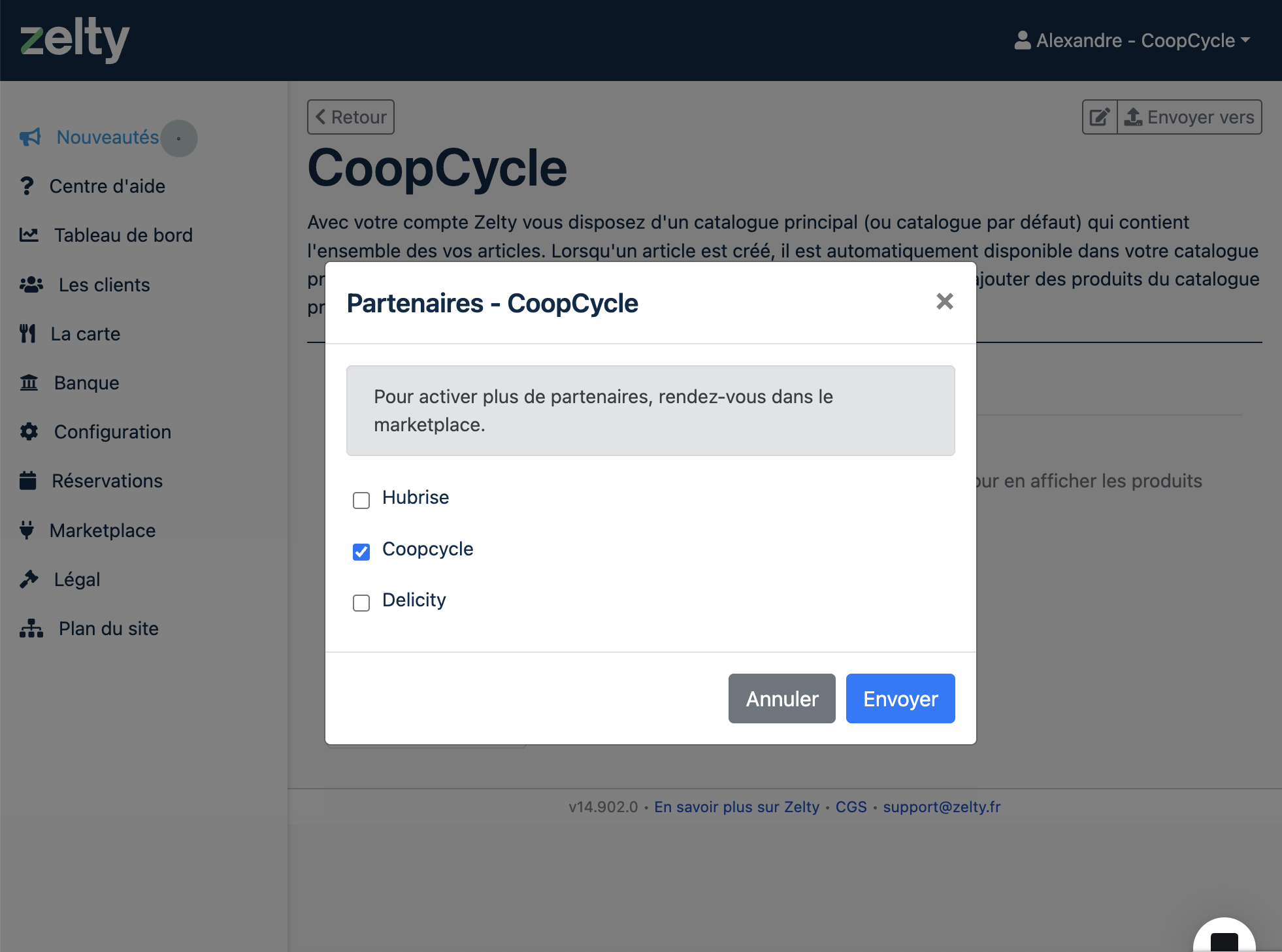
Select « CoopCycle », and click on « Envoyer »
After a few seconds, a new catalog should appear on CoopCycle. Enable it, and you are done!